

If you want to know make Windows 11 change pin code, read this post. Windows Hello in Windows 11 offers several options for entering the operating system, one of which is the PIN code, which has the main benefit of being unique for each device.
Knowing how to set up a new PIN for your Windows 11 account is critical for users who have lost confidence in their previous PIN because the code was leaked or hacked.
In this post, we will guide you through the necessary steps to know how to change pin code on Windows 11 if you forget it.
How to change pin in Windows 11
To determine the new PIN code in Windows 11, follow the steps below:
- Open Settings.
- Select Accounts.
- Click Sign-in Options.
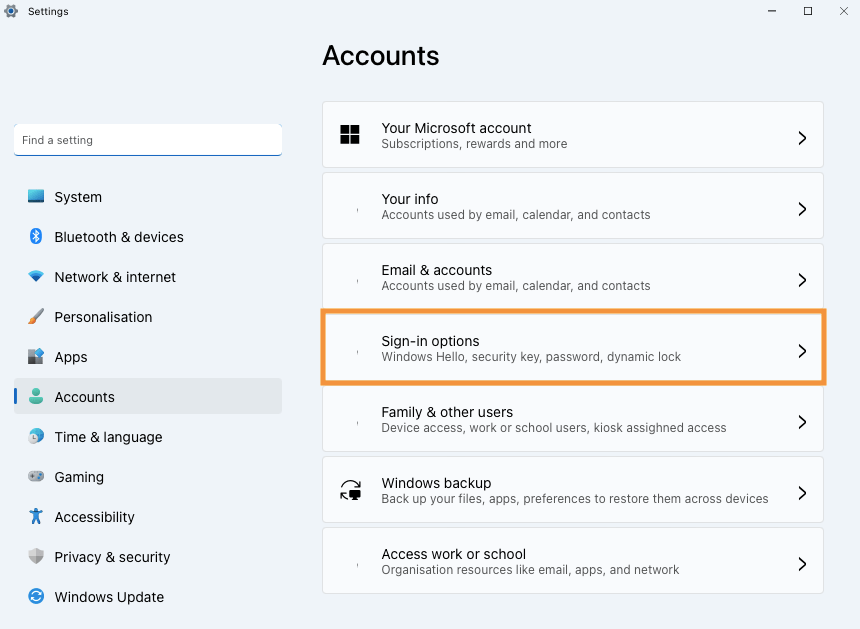
- Select PIN (Windows Hello).
- Click Change PIN.

- Enter the current PIN.
- Enter the new PIN.
- Confirm the new PIN.

9. Click OK.
After following the steps above, you can use the new PIN to connect to Windows 11 on your PC.
Summary
Learn how to change your Windows 11 PIN.
So, follow the steps above and say in the comments if you managed to change your Windows 11 access PIN.